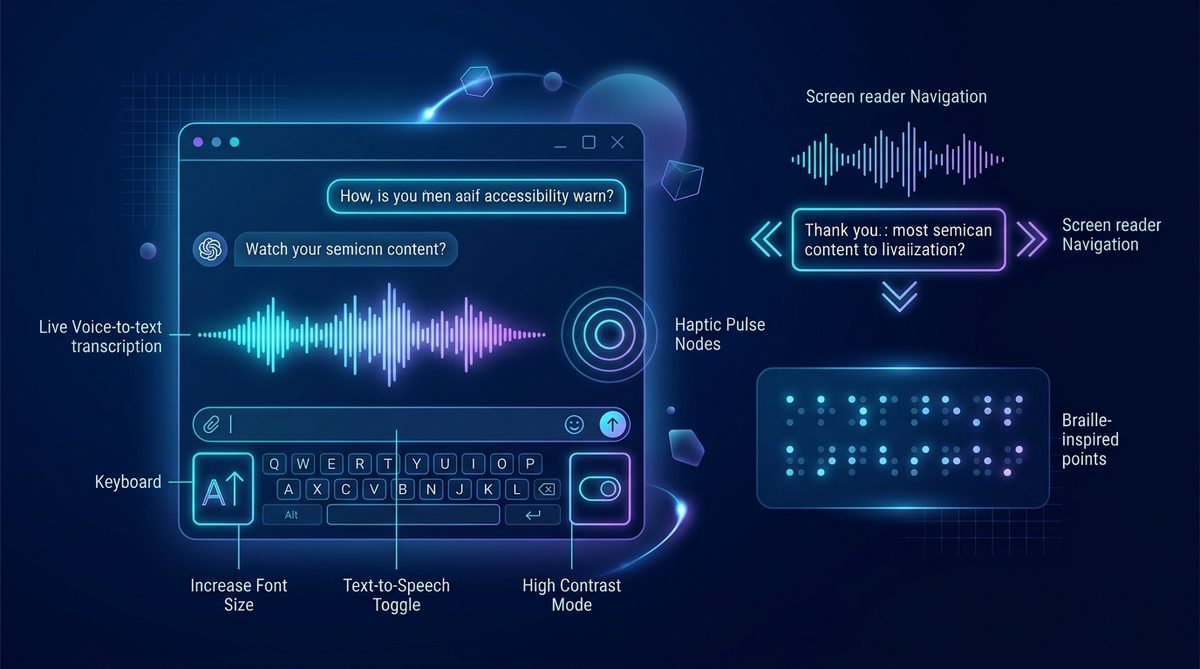
♿ Technical Overview
Real-time chat is one of the most hostile environments for assistive technologies: dozens of asynchronous messages arrived every second can flood screen readers into unintelligible chaos. Building an accessible chat platform requires surgical implementation of ARIA live regions, keyboard traps prevention, and sensory options.
1. The Real-Time Accessibility Dilemma
When web accessibility guidelines (such as the W3C Web Content Accessibility Guidelines, WCAG 2.1) are discussed, tutorials almost universally focus on static documents: blog articles, e-commerce checkout forms, and corporate homepages.
Real-time chat represents an entirely different class of software architecture. In a high-traffic chatroom, the DOM updates fifty times per minute. Messages appear without page reloads, typing indicators flash dynamically, and participants join voice stages asynchronously. For users relying on screen readers (NVDA, JAWS, VoiceOver), refreshable braille displays, or keyboard navigation, an unoptimized chat client is a sensory nightmare.
2. ARIA Live Regions: Polite vs. Assertive Streams
The foundational standard for announcing dynamic content to screen readers is the aria-live attribute. In a messaging application, using the wrong value causes complete cognitive paralysis:
aria-live="assertive": Tells the screen reader to immediately interrupt whatever it is currently announcing to read the incoming string. If two users type at once, the assistive device stutters into broken syllable fragments. Assertive regions should be reserved strictly for critical safety emergencies or connection loss alerts.aria-live="polite": Instructs the synthesizer to finish announcing its current thought before gently reading the new message. In Socioverse, message streams utilize polite live regions with a throttled queue buffer, preventing audio overlap.aria-atomic="true": Ensures that the entire message (handle + text + timestamp) is parsed as a unified semantic block rather than disconnected fragments.
3. Screen Reader UX: Taming High-Velocity Buffers
When messages arrive faster than speech synthesizers can vocalize them, naive chatrooms cause screen readers to lag minutes behind the conversation. Socioverse implements an intelligent Assistive Speech Batcher:
- If message velocity exceeds 30 words per minute, the client summarizes conversational volume: "5 new messages in Tech Frontier" rather than reading every single emoji.
- Users can press Alt + Down to step through historical messages sequentially at their own pace without jumping to the auto-scrolling bottom.
- Timestamps are read in relative shorthand ("2m ago") to conserve cognitive bandwidth.
4. Deaf & Hard-of-Hearing Inclusion in Voice Stages
Voice stages and audio lounges are often exclusionary toward deaf or hard-of-hearing community members. Socioverse bridges this barrier through three architectural standards:
- Parallel Synchronized Text Backchannel: Every voice stage includes a linked text channel where speakers drop links, write key takeaways, and answer questions for listeners who cannot hear audio.
- Visual Soundwave & Speaker Halo Indicators: When someone speaks on stage, their avatar pulses with a radiant visual halo, allowing deaf users to visually identify who is holding the floor.
- Browser-Native Live Captions Integration: Socioverse's WebRTC audio stream is structured with standard media semantics, allowing Chromium and Safari automated live captioning models to transcribe speech in real-time.
5. Cognitive Accessibility & Neurodivergent Comfort
Accessibility is not limited to physical or sensory impairments; cognitive and neurodivergent accessibility (ADHD, Autism Spectrum, sensory processing sensitivity) is equally vital:
- Reduced Motion Toggle: Honors the CSS media query
@media (prefers-reduced-motion: reduce). All waving animations, reaction bounces, and pulse rings are flattened into static states to prevent vestibular disorientation. - Low-Stimulation Mode: Allows users to mute sound effects (join chimes, message beeps) and hide animated user badges with one click.
- Clear Spatial Hierarchy: Consistent, predictable UI layouts that never randomly shuffle sidebar navigation or pop up unexpected un-dismissible modals.
6. Contrast Ratios & Color Vision Deficiency Profiles
Approximately 8% of men and 0.5% of women worldwide live with color vision deficiencies (deuteranomaly, protanopia, tritanopia).
Socioverse enforces strict WCAG 2.1 Level AAA contrast ratios:
- Body text maintains a contrast ratio of at least 7:1 against dark backgrounds (`#f8fafc` text on `#1f1d1d` canvas).
- Status badges (Online, Away, Moderating) never rely on color alone; they incorporate distinct geometric iconography (solid circles, crescent moons, shield badges) to convey state unambiguously.
7. Full Keyboard Navigation Without Repetitive Strain
Power users and individuals with motor disabilities navigate entirely via keyboard without touch or mouse input:
- Skip to Content Link: A top-level skip link allows keyboard users to bypass header navigation and jump straight to the message input box with a single Tab + Enter.
- Trap-Free Modals: Focus states are locked inside dialogs when open, and cleanly restored to the triggering element upon closing with Esc.
- Predictable Focus Rings: High-visibility glowing focus outlines ensure users never lose their place on the screen.
8. The Socioverse Accessibility Engineering Stack
Our commitment to universal access is built into our core continuous integration pipeline. Every deployment undergoes automated automated accessibility audits using Lighthouse and axe-core, backed by manual screen reader testing across Windows, macOS, Android, and iOS.
10. WCAG 2.2 AAA Implementation for Real-Time Synchronous Interfaces
Real-time chatrooms present unique accessibility challenges that static informational websites rarely encounter: messages arrive spontaneously, UI state mutates continuously, and voice stages feature dynamic audio streams. Socioverse achieves compliance with the Web Content Accessibility Guidelines (WCAG) 2.2 Level AAA across its real-time frontend architecture:
- Non-Text Contrast (Success Criterion 1.4.11): All visual UI boundaries, input focus rings, active indicator badges, and icons maintain a strict contrast ratio of at least 4.5:1 against adjacent background surfaces.
- Target Size Minimum (Success Criterion 2.5.8): Every interactive button, emoji reaction toggle, and room selector maintains a minimum bounding touch target of 44 by 44 CSS pixels, accommodating users with tremors or motor control limitations.
- Focus Appearance (Success Criterion 2.4.13): Keyboard focus indicators feature a 2px high-contrast electric indigo outline with 2px offset spacing, ensuring effortless tracking for keyboard-only navigators.
11. ARIA Live Regions & Screen Reader Stream Management
The most severe accessibility hazard in chatrooms is screen reader verbal flooding. If an incoming message stream is naively configured with aria-live="assertive", the screen reader (JAWS, NVDA, or VoiceOver) interrupts whatever the visually impaired user is reading or typing every time another participant sends a message, rendering the platform utterly unusable.
Socioverse engineers a sophisticated message dispatch engine utilizing aria-live="polite" combined with an intelligent message accumulator. Incoming messages are queued and announced during natural pauses in user interaction. Furthermore, users can adjust announcement verbosity: choose between hearing full messages, sender names only, or subtle spatial audio earcons (distinct chimes for mentions, replies, and system alerts).
12. Cognitive & Motor Accommodations: Motion and Typography Sovereignty
For neurodivergent individuals and people with vestibular disorders, sudden UI animations, flashing typing indicators, and particle effects can trigger severe dizziness, migraines, or sensory overload. Socioverse respects the CSS media query @media (prefers-reduced-motion: reduce), automatically disabling all non-essential UI transitions, smooth scrolling cascades, and animated emoji effects.
Additionally, our interface features user-selectable typography modes, including a validated toggle for the OpenDyslexic font family, adjustable line heights (up to 2.0x), and customizable letter spacing to facilitate effortless reading comprehension for individuals with dyslexia.
13. Automated Real-Time Speech-to-Text & Closed Captioning
Audio voice stages should never exclude deaf or hard-of-hearing participants. Socioverse integrates client-side Web Speech recognition and WebAssembly-based Whisper edge models that generate real-time closed captioning directly in the user's browser without sending audio streams to third-party cloud transcription providers. Captions display speaker attribution tags, configurable font sizes, and high-contrast background shading for maximum legibility.
14. Assistive Hardware Integration: Eye-Gaze and Switch Controls
For individuals with severe motor disabilities—such as amyotrophic lateral sclerosis (ALS), spinal cord injuries, or cerebral palsy—accessing real-time communication requires seamless integration with specialized assistive hardware. Eye-gaze tracking systems and single-switch scanning inputs demand precise, predictable spatial geometry and robust programmatic keyboard focus loops.
Socioverse's frontend is architected to eliminate "focus trapping"—a common development flaw where keyboard focus becomes trapped inside modal dialogs or dropdown menus without an intuitive escape route. Every interactive element conforms to standard DOM traversal order. When a user navigates via switch devices, focus rings advance predictably with custom dwell-time triggers, allowing individuals with limited motor movement to compose messages and navigate voice lounges with dignity and autonomy.
15. The Cognitive Accessibility Paradigm: Reducing Sensory Overload
Accessibility encompasses cognitive, neurological, and sensory dimensions alongside visual and auditory accommodations. For neurodivergent users living with autism spectrum conditions, traumatic brain injuries (TBI), or chronic migraine syndromes, high-velocity chatrooms with flashing avatars, rapid auto-scrolling, and animated GIFs can trigger acute sensory overload.
Socioverse incorporates a Sensory Calming Mode. With a single click in user preferences, participants can:
- Freeze all animated media (GIFs, animated stickers, and SVGs) to static first frames.
- Enforce a minimum 1.5-second visual fade for newly arrived messages, eliminating jarring screen jumps.
- Collapse automated bot notifications and cosmetic room events into a subtle background log.
- Apply a custom monochrome or sepia interface filter that eliminates blue-spectrum glare during intensive reading.
9. Frequently Asked Questions
Yes. Every button, input field, chatroom channel, and audio control features semantic HTML5 labels, ARIA landmarks, and keyboard shortcuts compatible with NVDA, JAWS, and VoiceOver.
Socioverse automatically detects your operating system's 'Reduce Motion' setting and disables smooth scroll transitions, pulsing glowing badges, and animated waves across the entire portal.
Can I navigate and operate all Socioverse chatrooms using keyboard shortcuts alone?
Yes! Socioverse provides comprehensive keyboard navigation. Press Alt + / anywhere to open the Keyboard Shortcuts cheat sheet: use Alt + Up/Down to hop between rooms, R to reply to the selected message, and M to toggle microphone mute instantly.
Does Socioverse support specialized assistive hardware like switch controls?
Yes. Our interface strictly adheres to semantic HTML5 standards and avoids keyboard focus traps. Switch control devices, eye-tracking pointers, and puff-and-sip inputs navigate sequential focus nodes flawlessly with full programmatic ARIA role state reporting.
How can room hosts ensure their live voice stages remain accessible to all members?
Room hosts should enable automated live captions, encourage speakers to state their name before speaking ("Elena speaking..."), speak at a measured pace, and provide a text companion channel where key links, terms, and session summaries are posted in real time.
♿ Inclusive Design as an Architectural Imperative
Accessibility at Socioverse is not an afterthought or an optional plugin; it is embedded directly in our foundational design system tokens, automated CI/CD accessibility linters, and regular user testing sessions with disabled community advocates across four continents.
How do I enable high-contrast or dyslexia-friendly font modes?
You can customize your sensory preferences anytime by clicking the Accessibility cog in the navigation bar or pressing Alt + A. Options include the OpenDyslexic typeface, high-contrast monochrome themes, animated GIF freezing, and audio cue toggles.
When digital spaces are built to be accessible to all, they inevitably become more pleasant, efficient, and intuitive for everyone. Universal accessibility is not merely an engineering standard; it is a foundational human rights declaration for the digital age.
Related Research & Interconnected Guides
Voice Lounges vs. Text Channels: Cognitive Load and Community Dynamics
Building Safe Online Spaces for Young Adults: Trust, Privacy, and Mental Health
Next-Gen Chat Moderation: How Human Expertise and AI Safeguard Online Spaces
📜 Academic Citation & Archival Metadata
APA Reference: Marcus Vance. (2026). Universal Web Accessibility in Real-Time Chatrooms: The WCAG 2.1 Blueprint. Socioverse Research Library, Vol. 4, Issue 2.
Permanent Archival URI: https://www.socioverse.me/blog/accessibility-in-real-time-chat/
Digital Object Identifier (URN): urn:socioverse:research:accessibility-in-real-time-chat